Client & Firm Intelligence
Last updated: July 29, 2026
Description
How Artifact captures and applies context about each client and your firm to power more accurate closes over time.
Client and Firm Intelligence is the layer that teaches Artifact how you work. Everything the platform does is built on understanding your individual clients, your firm as a whole, and how prior periods were handled. This includes the context that usually lives in spreadsheets, emails, or in your team's heads.
Intelligence is built two ways. Artifact generates it automatically through a deep connection to your ledger (Xero, QuickBooks, NetSuite, or Sage), and you add to it directly by uploading source documents or chatting with your agent.
Client Intelligence
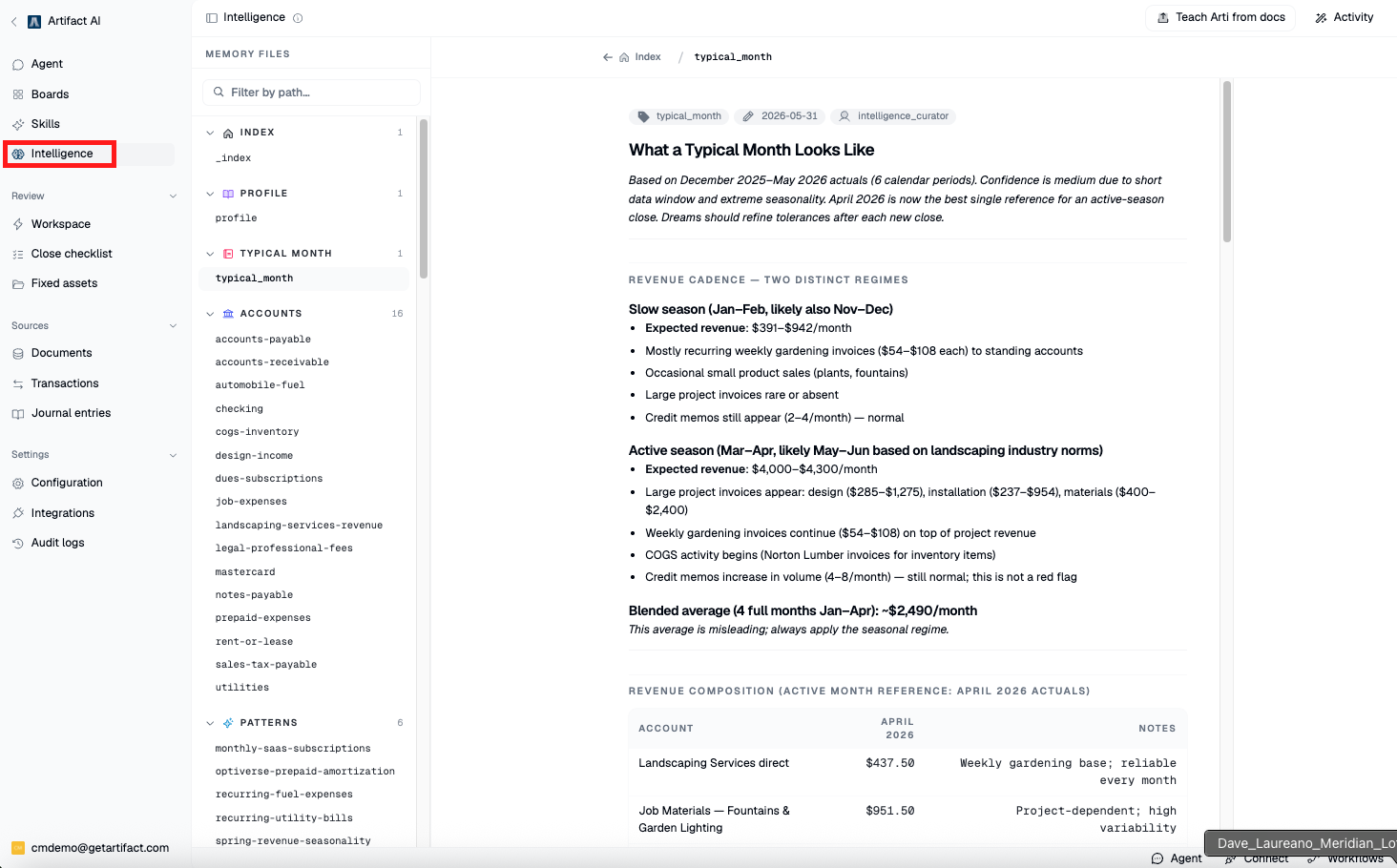
This is the profile for a single client. It includes:
A general index of all captured data and information.
A business profile covering what the client does, its financial dimensions, and its typical month and close. This is generated from your ledger connection, uploaded documents, and the client website.
Account-level detail, where you can add documentation for how specific accounts are handled (for example, lease accounting).
Patterns detected automatically, such as a recurring invoice that appears for months and then goes missing.
Findings, anomalies, things to watch, and high priority accounts, presented month by month.
You can add SOPs, policies, procedures, emails, and client-specific rules at the top of the profile. For example, a document that maps which bills belong to which property or tracking category will teach Artifact to assign those items correctly.
Firm Intelligence
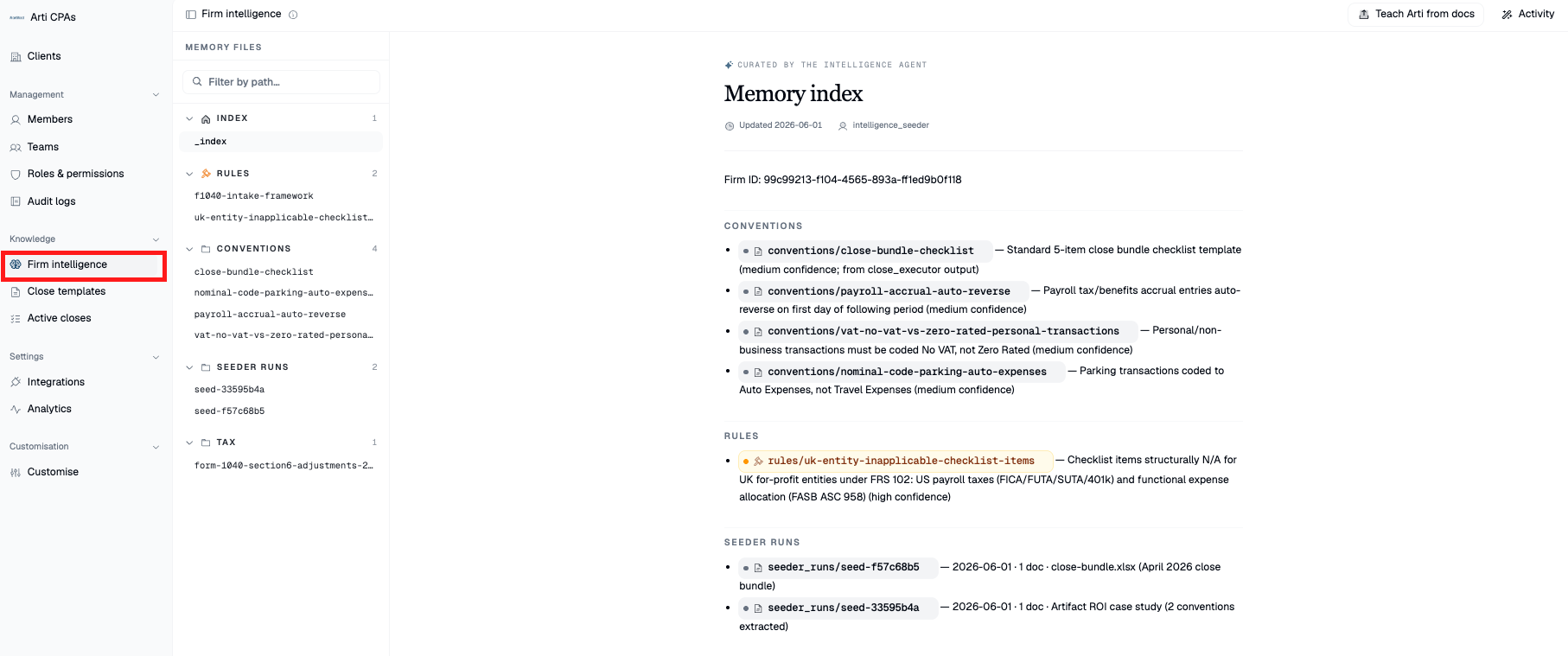
This is context that applies across your whole firm rather than one client. Add the documents you share with your teams, such as onboarding decks, methodologies, and firm-wide policies. This teaches Artifact to think like one of your managers and is applied to every automation going forward.
How it builds over time
Intelligence is never static. You start with one layer, and it grows with every close and every period. On top of the automated build, you can add information or documents at any time through chat.
Why it matters
The more context Artifact holds, the more accurate and complete your results. Every figure stays traceable, with the source, calculation, and reasoning available in the audit trail.
Steps
Open the client and go to the Intelligence layer.
Review the auto-generated business profile, patterns, and findings.
Add client-specific documents (SOPs, policies, emails, account rules) at the top of the profile.
For account-level detail, open the relevant account and attach documentation for how it should be handled.
Switch to your organization to open Firm Intelligence.
Upload firm-wide documents such as onboarding decks, methodologies, and policies.
Use the chat to add or update information at any time.
Let intelligence build with each close, then revisit and refine as clients and procedures evolve.