Create an Ad-hoc Working Paper
Last updated: July 29, 2026
Create an ad-hoc workpaper
Stand up a blank workbook for one client that belongs to no close — a schedule you need for its own sake: a one-off reconciliation, a query you're working through, or support for something a close template doesn't cover. It's the same editor as a close workpaper, but unbound: no close item, no checklist, no review gate, and — because of that — none of the close-run machinery around it. This is the standalone corner of the Close surface.
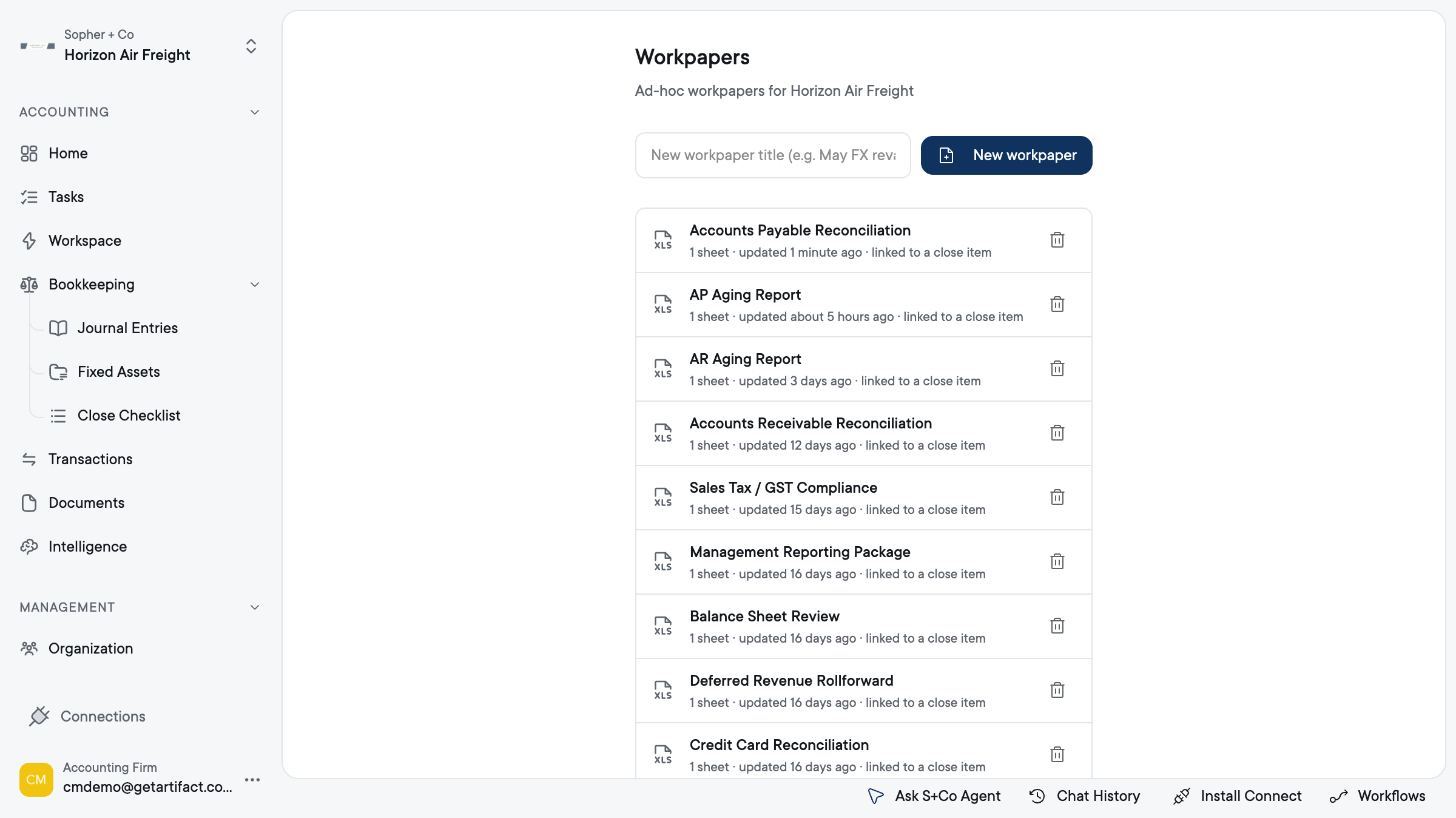
1. Open Workpapers for the client
Select the business first — everything on this screen is scoped to it, so you see only that client's existing ad-hoc workpapers.
2. Name it before you create it
Type the title into the New workpaper field (Enter also fires the create). Blank ⇒ "Untitled workpaper". Name it for what it supports — a workpaper whose title doesn't say what number it backs fails the first question a workpaper has to answer.
3. Create it — click New workpaper
This creates the blank workbook for the selected business and takes you straight into the editor. It's disabled until a business is selected, and while a create is in flight, so a double-click can't make two.
4. Reopen it from the list
whenever you come back — clicking a row opens that workpaper in the editor. Ad-hoc workpapers never lock. The single-writer lock that serialises a close's shared workbook applies only to workpapers inside a close, so here there's no lock to acquire and no take-over notice. The protection is lighter and later: if someone else changed the stored copy while you had it open, your save is held and you're prompted to reload or keep your changes. Two people in the same ad-hoc sheet is therefore last-save-wins-with-a-prompt, not one-writer-at-a-time.
5. Delete it
(optional) — the row's trash icon confirms first, then removes the workpaper from the list. The stored file stays in storage: this de-lists the workpaper, it does not destroy the underlying file.
Good to know
- Access: the Close UI is behind a feature flag. Without it there is no Workpapers page.
- A business must be selected. The list and the create are per-business: New workpaper is disabled until a client is chosen, and the list only ever shows that client's ad-hoc workpapers.
- Know what this is NOT. An ad-hoc workpaper is not evidence for a close item. Nothing maps it to a checklist item, nothing runs against it, and no reviewer is asked to sign it off. If the number needs to tie out a close step, it belongs to that item's workpaper inside the close (how a template designates evidence), not here.
- You get a blank sheet, not an import. This flow creates an empty workbook. Bringing an existing workbook in is the template/upload path, not this one.