Answer Arti When It Asks for Input
Last updated: July 30, 2026
Answer the agent when a close item stops and asks you a question. Sometimes an item cannot finish on its own — the agent reaches a fork it will not guess through — so it flips the item to input required and waits. Nothing on that item (or anything depending on it) moves until you reply. This is the highest-consequence moment in a close, and this how-to is how you clear it.
1. Spot the pause
When an item needs something it cannot get, it flips to input required — the highest-priority state in the close, because the run cannot proceed until a human answers. The item shows an input panel in place of its usual tabs and sits at the top of your queue.
2. Read what the agent is actually asking — before you answer
The panel states the question and the context that prompted it. Often the agent has found something it should not decide alone and is asking rather than guessing. In the example below it has caught two overlapping depreciation entries that would double-count $224.92 and is asking which to keep.
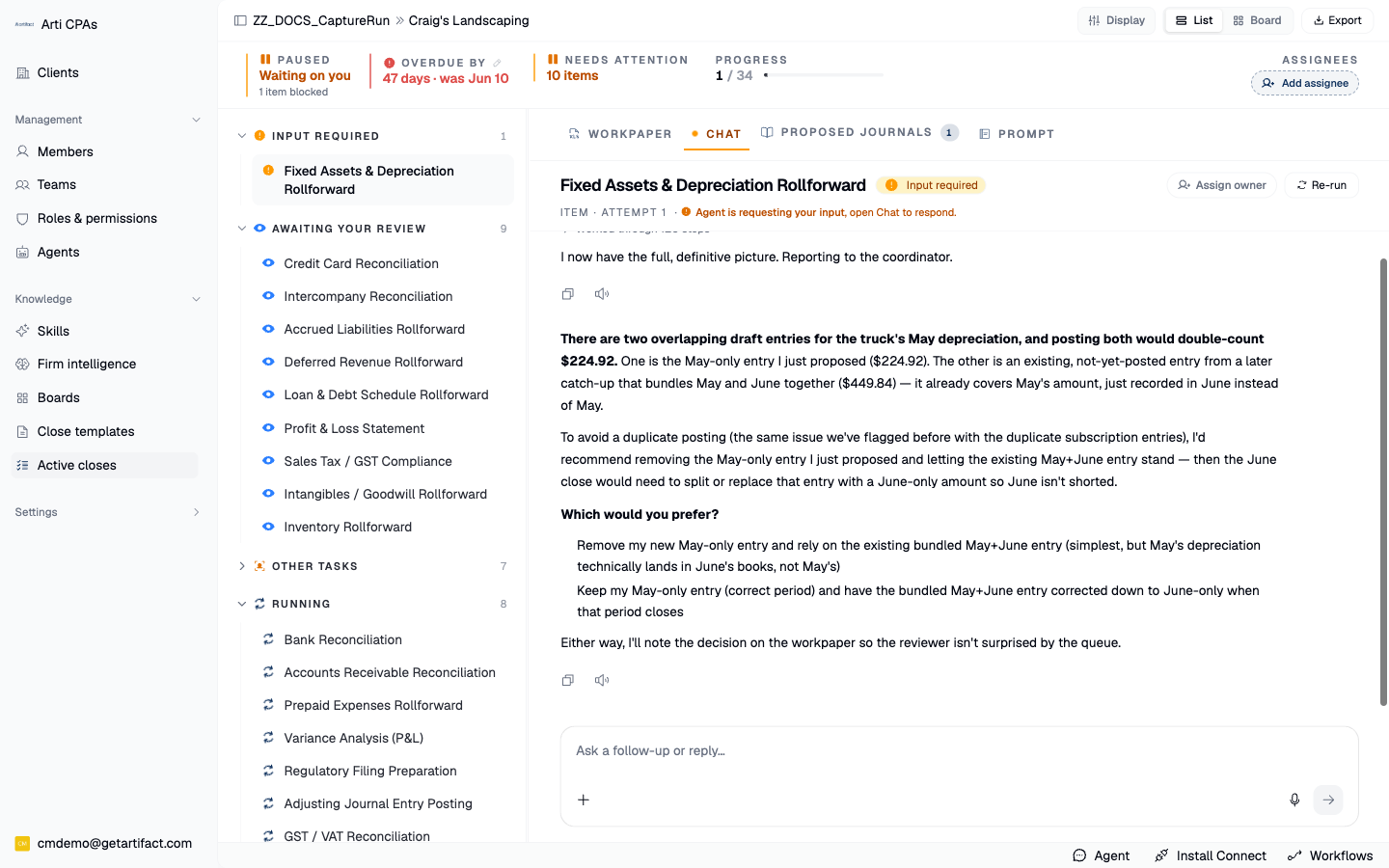
NB: Your side panel may look a bit different.
3. Write your reply and attach any files it needs
Type into the reply box; attach up to eight files if the agent asked for a document — a statement, a schedule, a prior workpaper. Remove a file you added by mistake with its chip's X, and use Open full-screen for a long reply.
4. Send to agent — the write that resumes the run
Send to agent: it uploads the files and injects your reply as the answer the agent was waiting on, flipping the item from input required back to running. The close picks up from where it paused, with your answer now part of the item's context.
Next steps
Good to know
This is a hard stop, not a nudge. An item in input required waits indefinitely — it will not time out and guess. So an unanswered input request is the single most common reason a close looks "stuck": the agent is not slow, it is waiting on you. Check for it first when a close stalls.