Apply a Template to Month End Close
Last updated: August 11, 2026
Start a month-end close
Kick off the recurring, standardized month-end close for a client — the turnkey path of the operating model (Close (the recurring close mode)). You build the checklist once as a firm template and run it every period per client, with a human sign-off on each step. The screenshots below walk the demonstrated path on a UAT business (Horizon Air Freight).
1. Have a Close template
Firm → Close templates. The standard is a 16-step, dependency-ordered checklist, each item a standards-grounded skill; keep step 1 (pre-close gate) and step 16 (sign-off), tune the middle per client. Proves: firm-level build once, run for many.
2. Start the close — Browse-templates path (demonstrated)
From the left sidebar open Close
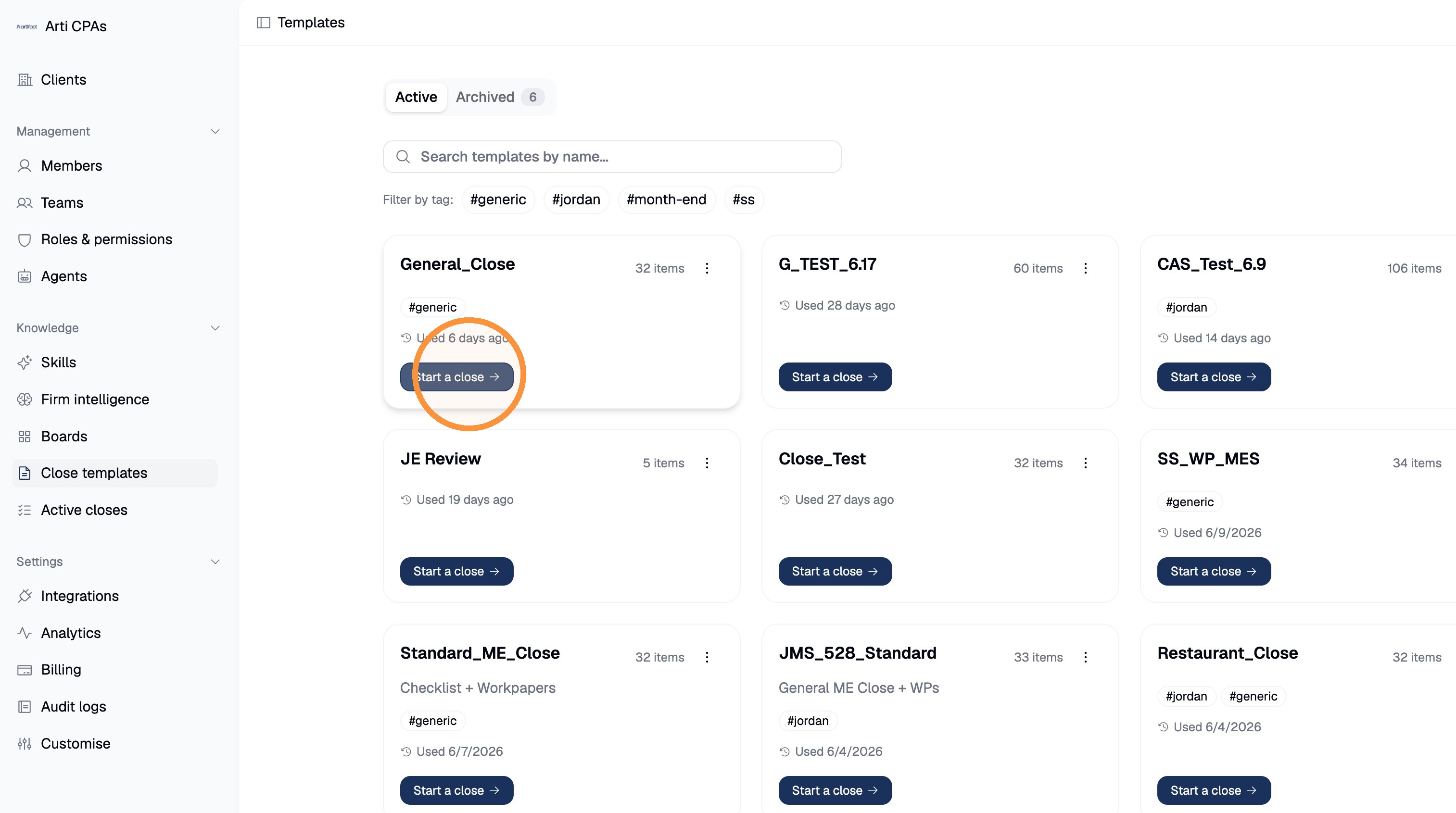
templates, then Start a close on the template you want (here, General_Close):
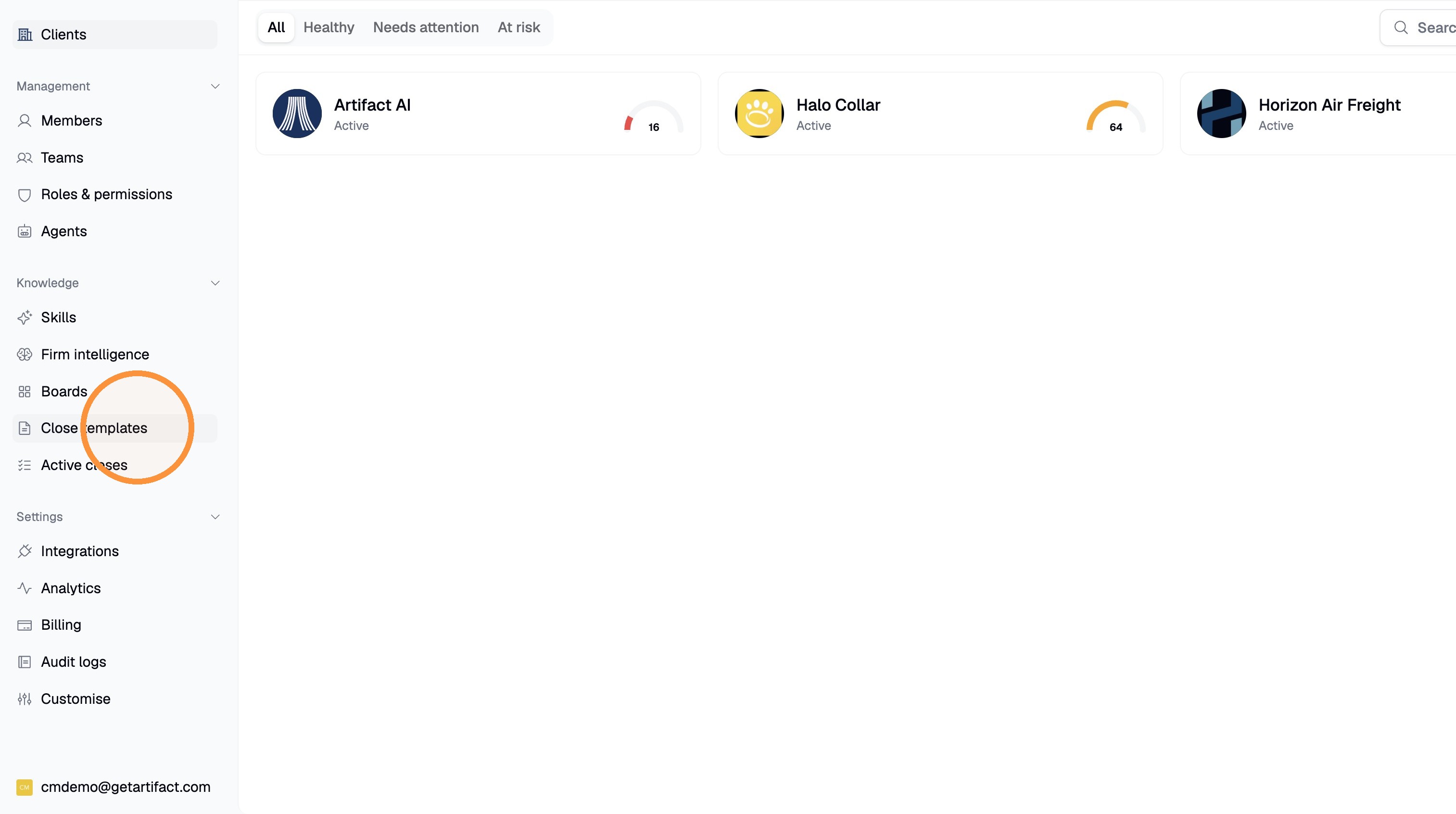
NB: Your sidebar may look a bit different. Still select Close Template
Pick the business the close is for (here, Horizon Air Freight):
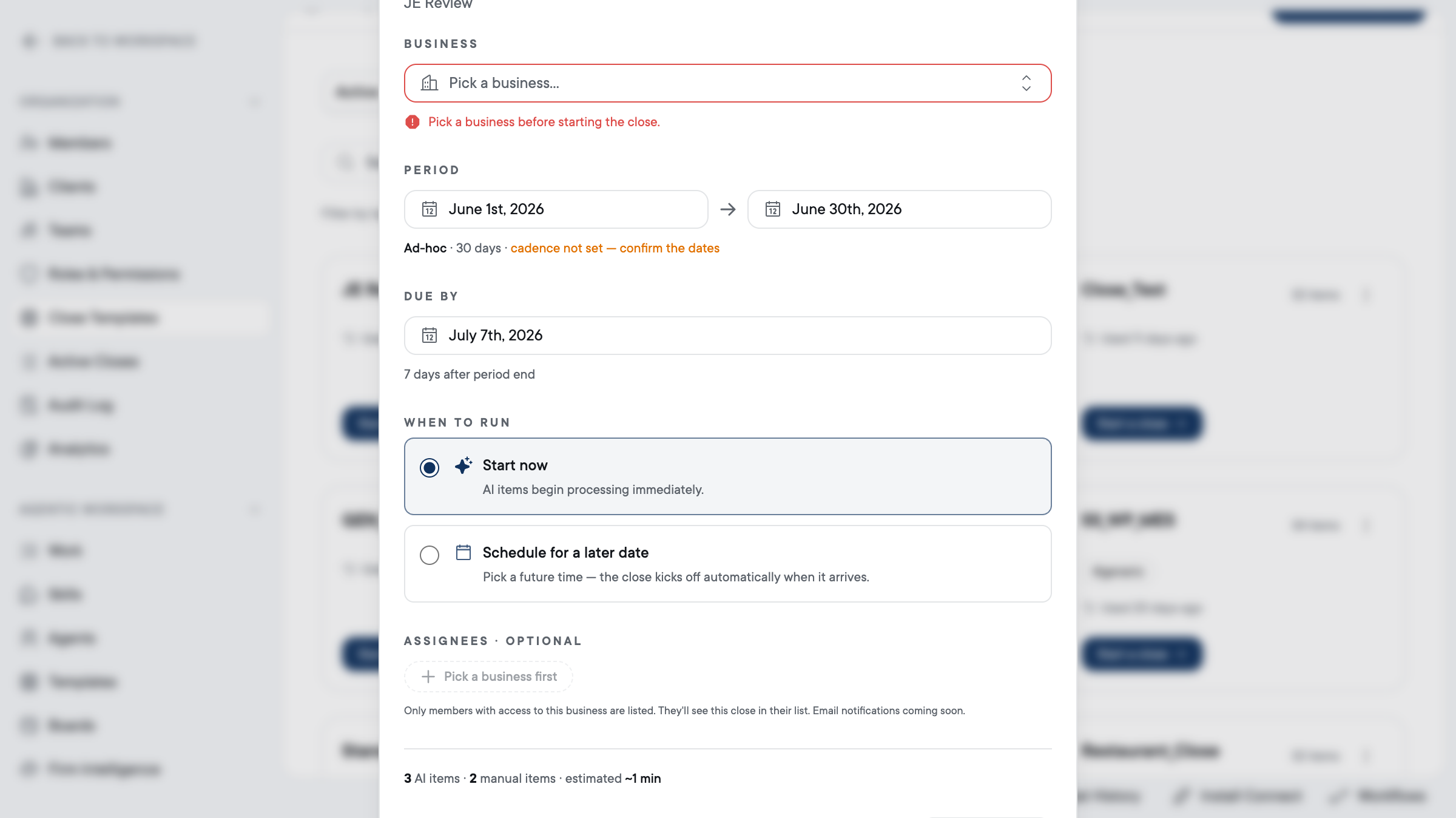
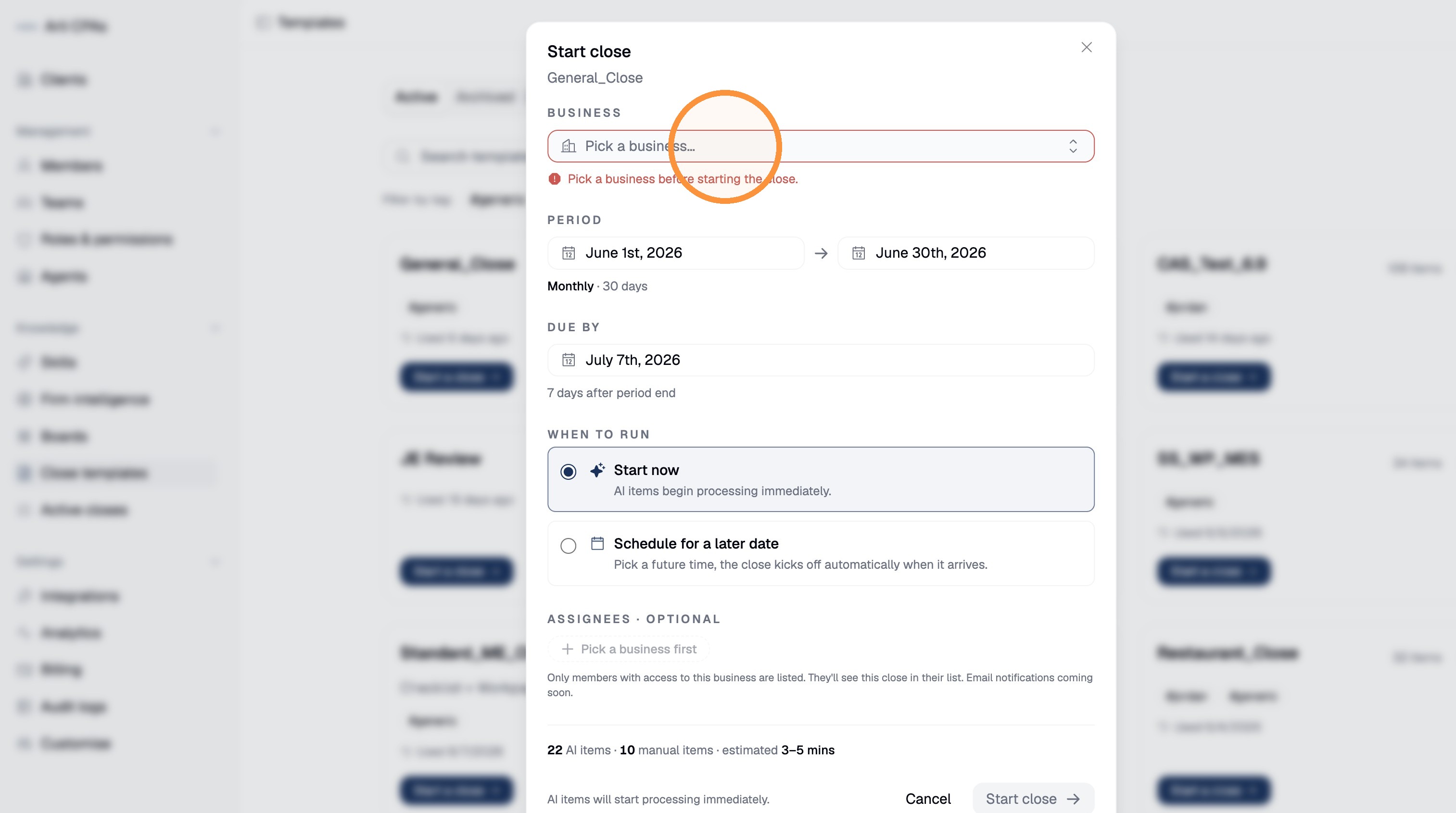
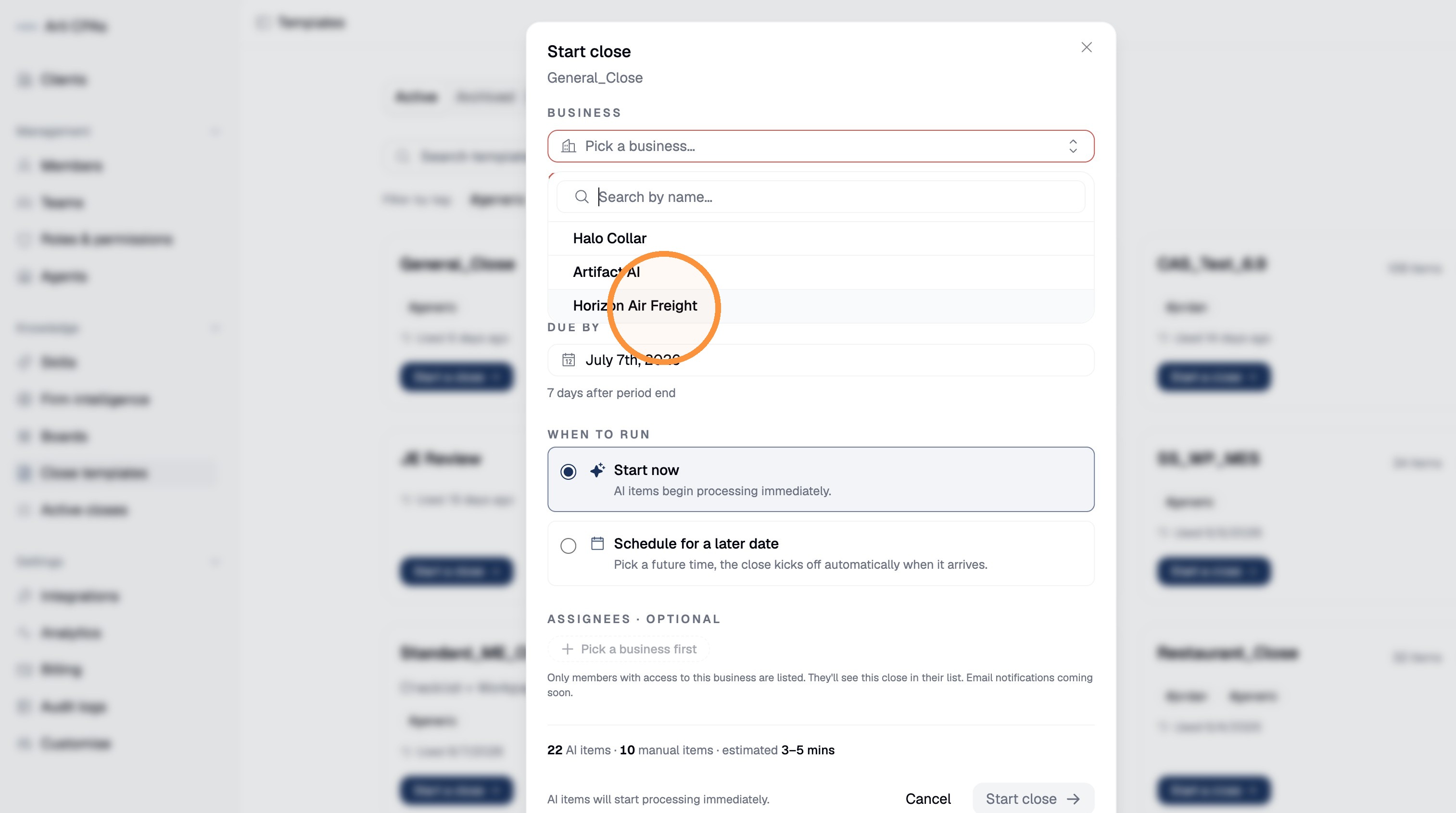
Proves: a close is startable from a firm template, per client.
⚠️ Roadmap-honest: the Browse-templates path is the mature, code-confirmed route; the Agent driving and steering the close item-by-item once it's running is confirmed today, and Agent-initiated start is part of the converging build (verify on your tenant).
3. Set the period, due date, and cadence
Choose the period start date, then set Due by (here, July 14, 2026). A close can cover a month, quarter, or year, and you can run it now or schedule it for later so it recurs each period without a manual re-setup:
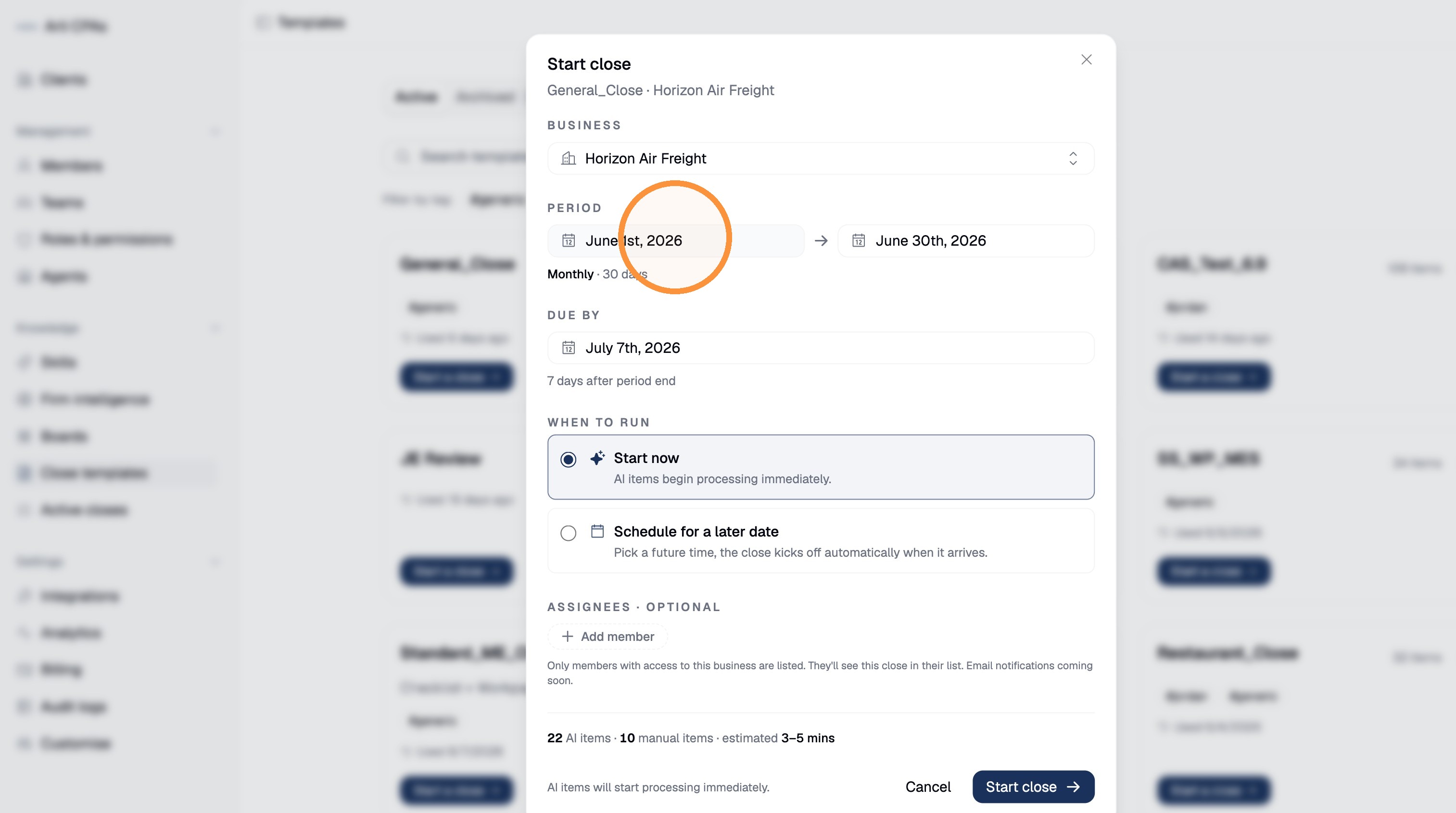
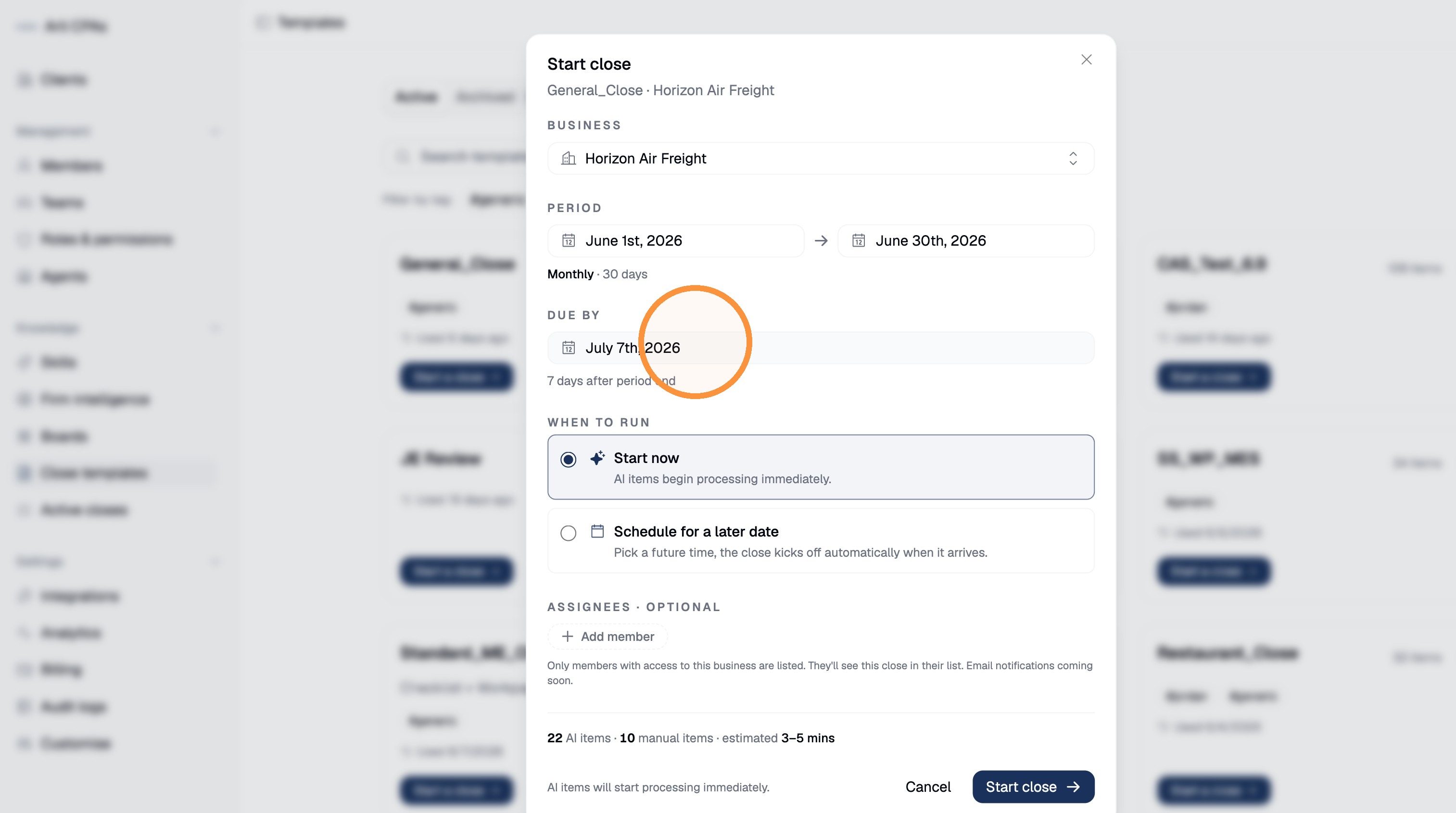
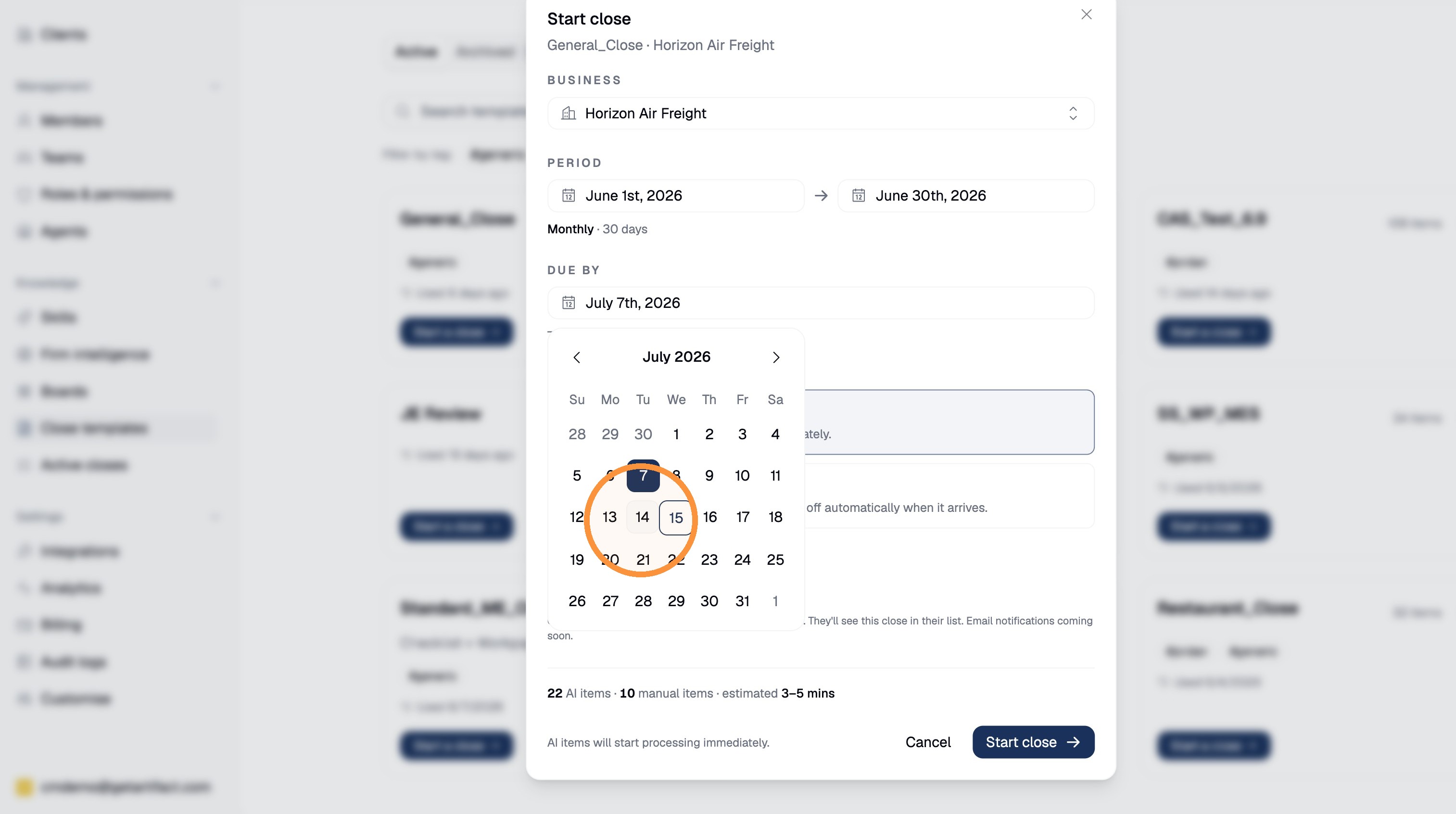
Then add the team member(s) who own this close (here, John Doe):
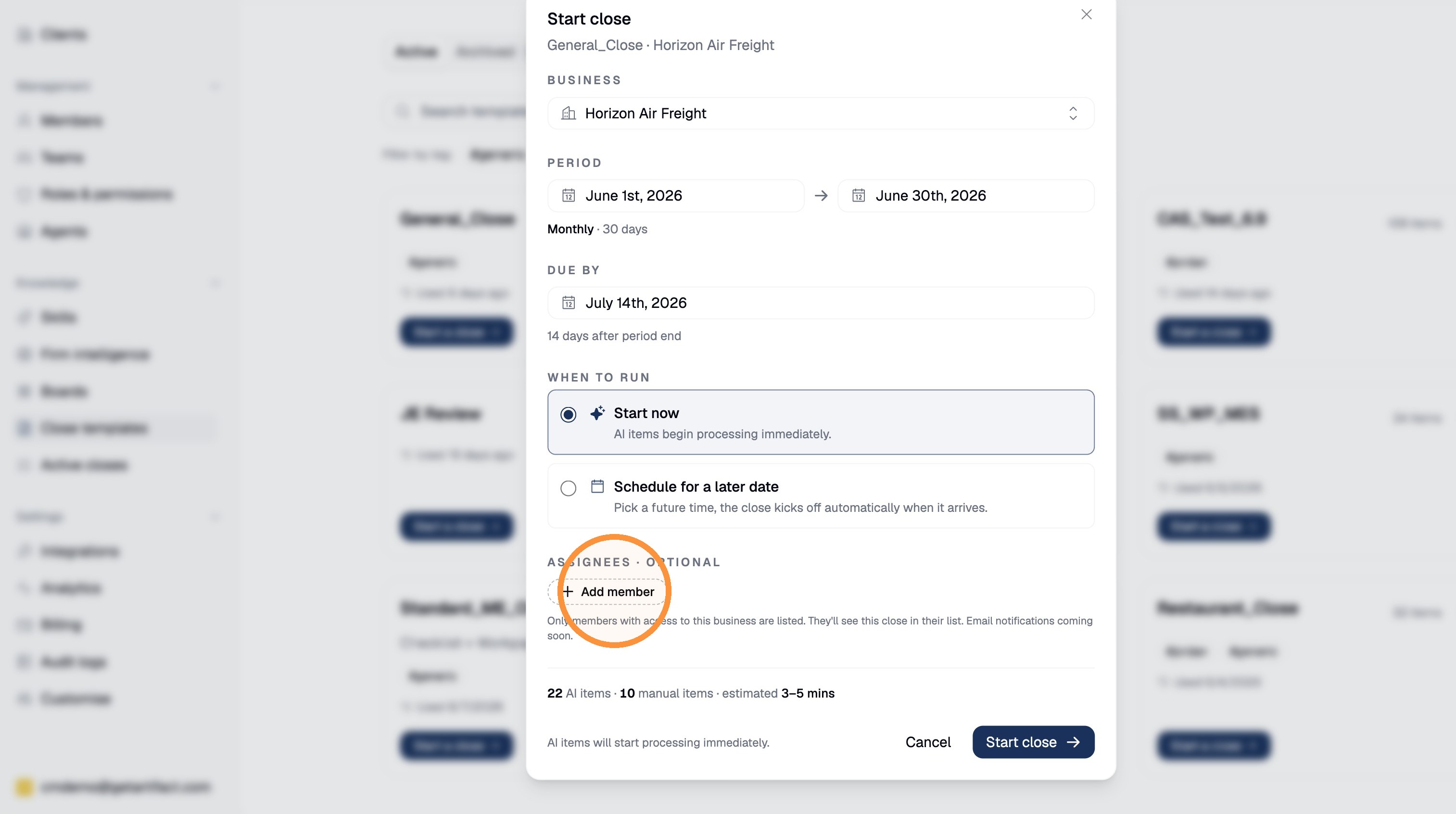
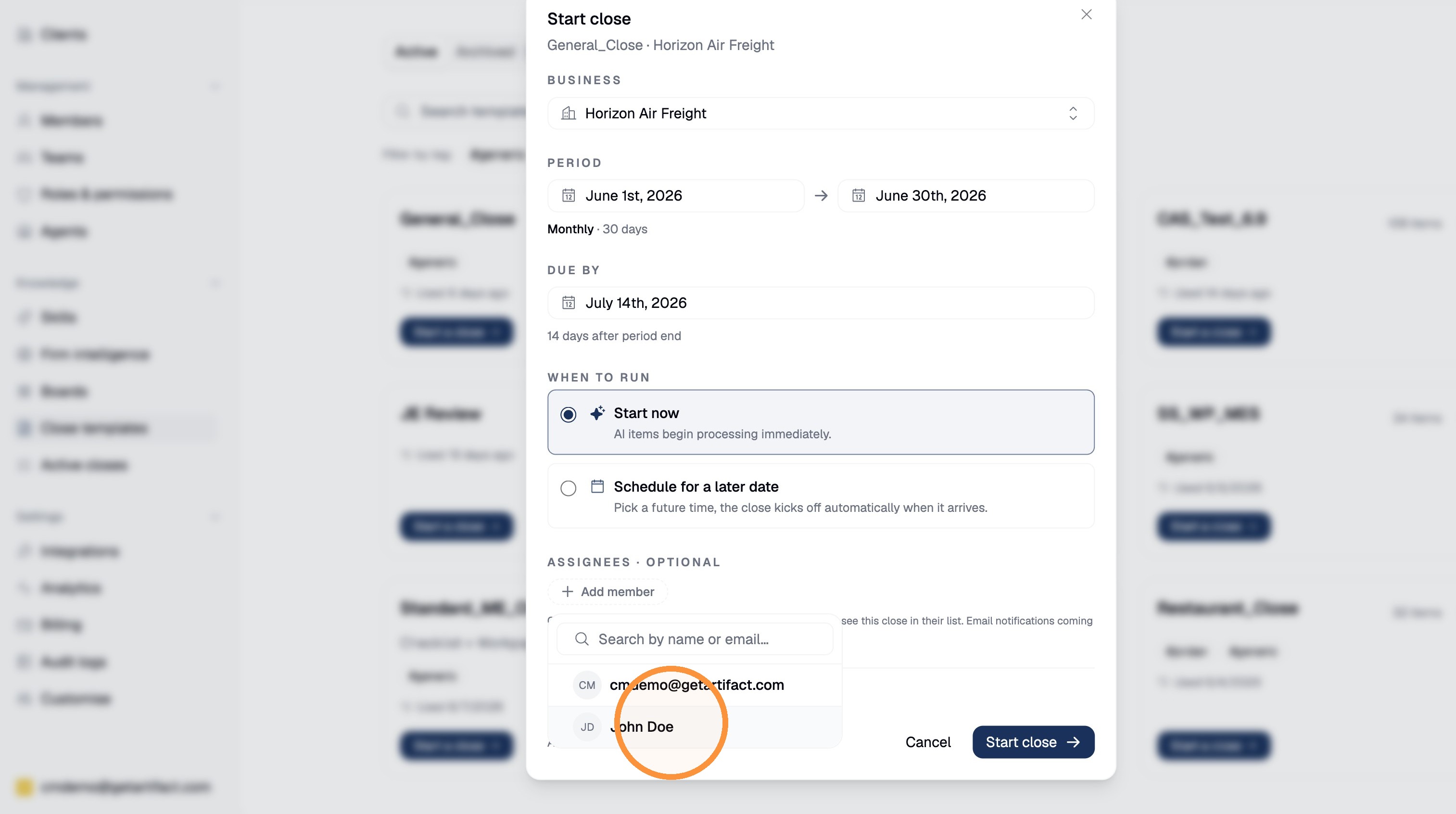
Proves: the close is schedulable and owned, not a manual re-setup.
4. Start it — it proposes, never posts
Click Start close. Before you do, the checklist shows the split of work — in the captured demo, 22 items for the AI + 10 manual items. On start, the run begins: each step's agent reads the client's Intelligence + its skill, pulls the ledger read-only, and produces a workpaper; every step lands in Awaiting review.
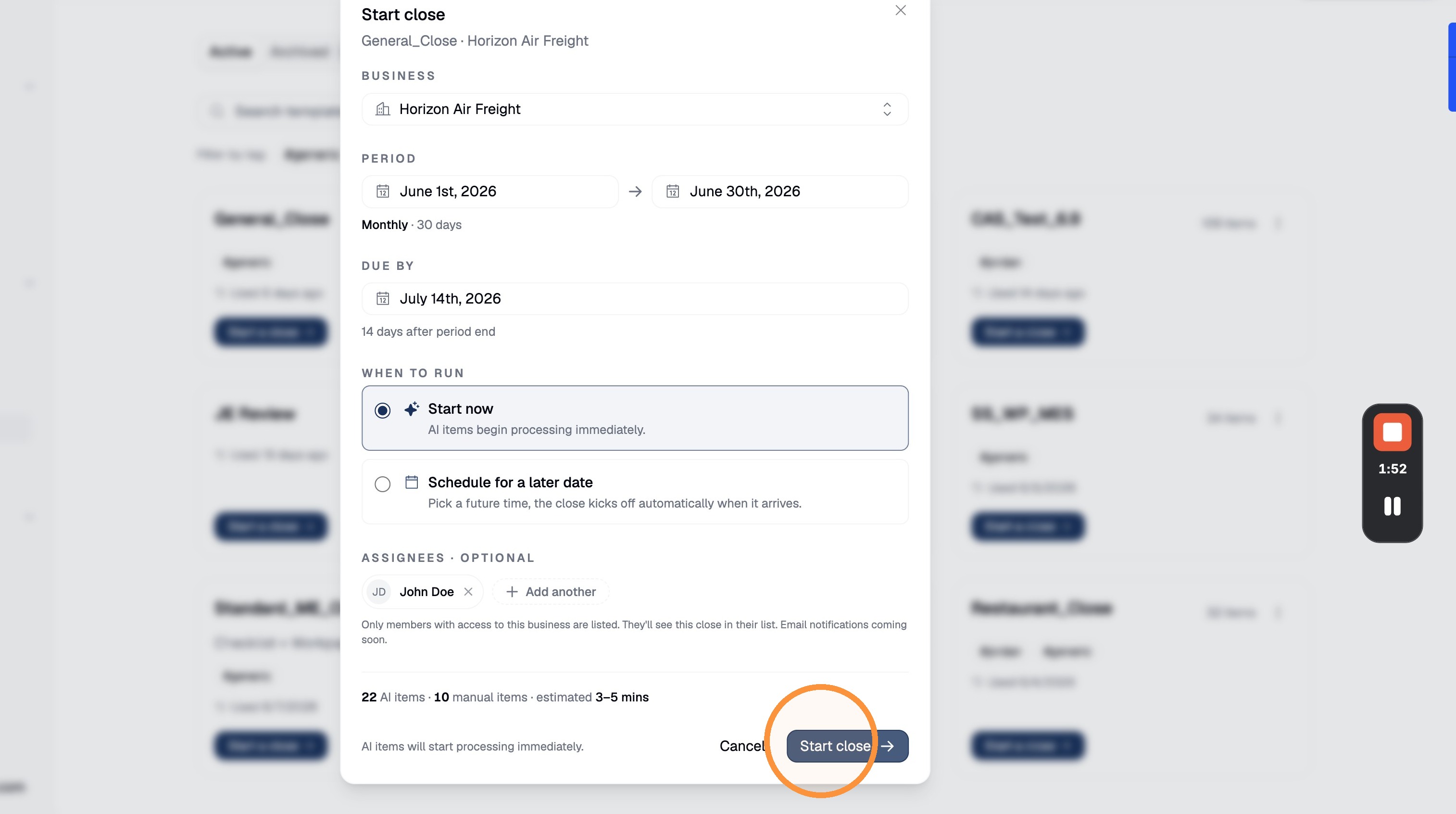
Proves: the per-item human gate — hand off to review and approve a task.
Next steps
- Review and approve a task
Good to know
- Role: an accountant seat; template authoring is a firm-level action.
- Data: the client must be connected (GL/ERP) and the period's data reasonably complete — step 1 of the standard template is an explicit pre-close data gate.
- Close ≠ Boards. The close is the standardized recurring mode. For payroll, a WIP schedule, or any non-close repeatable flow, build a Board instead (build a board) — same governance, but you compose the steps.