Review and Approve a Journal Proposal
Last updated: July 29, 2026
Decide what happens to a journal entry Arti proposed but did not post — approve it, correct it, dismiss it with a reason, or push it straight to the ERP. It sits inside Run a Close and Approve Journals.
1. Open the item's Proposed journals tab
Proposals hang off the close item that produced them and are grouped by run session — "Run 1", "Run 2", "Earlier" — so you can tell a fresh proposal from one a re-run superseded. Refresh re-pulls them and keeps the previous list if the refresh fails.
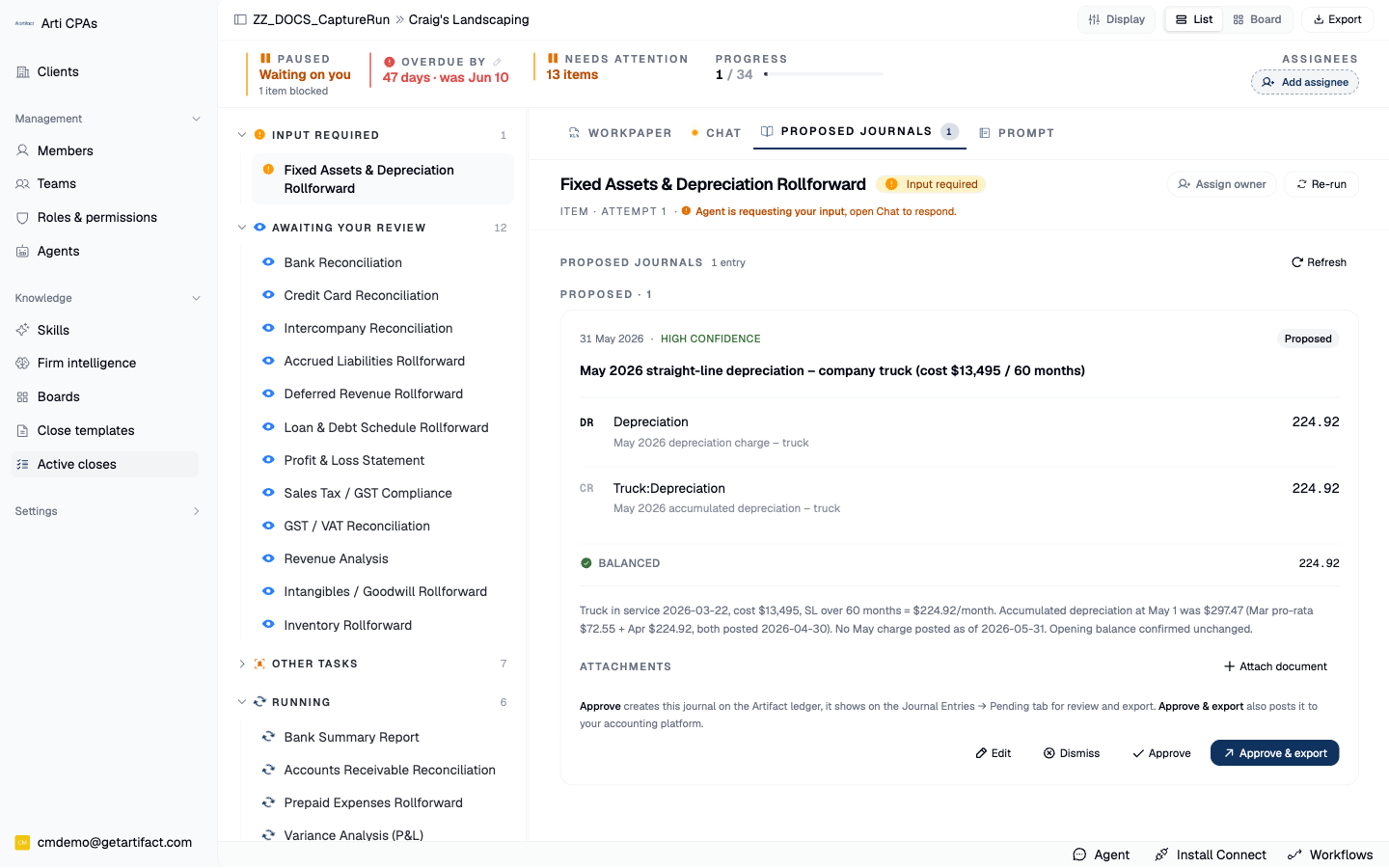
2. Read it as an accountant
Do the lines balance? Are the accounts and tax rates right for this entity? Are dimensions (tracking categories) populated where the firm requires them? Would the description still make sense to a reviewer in six months? Attach document rides supporting evidence along with the entry when it is created.
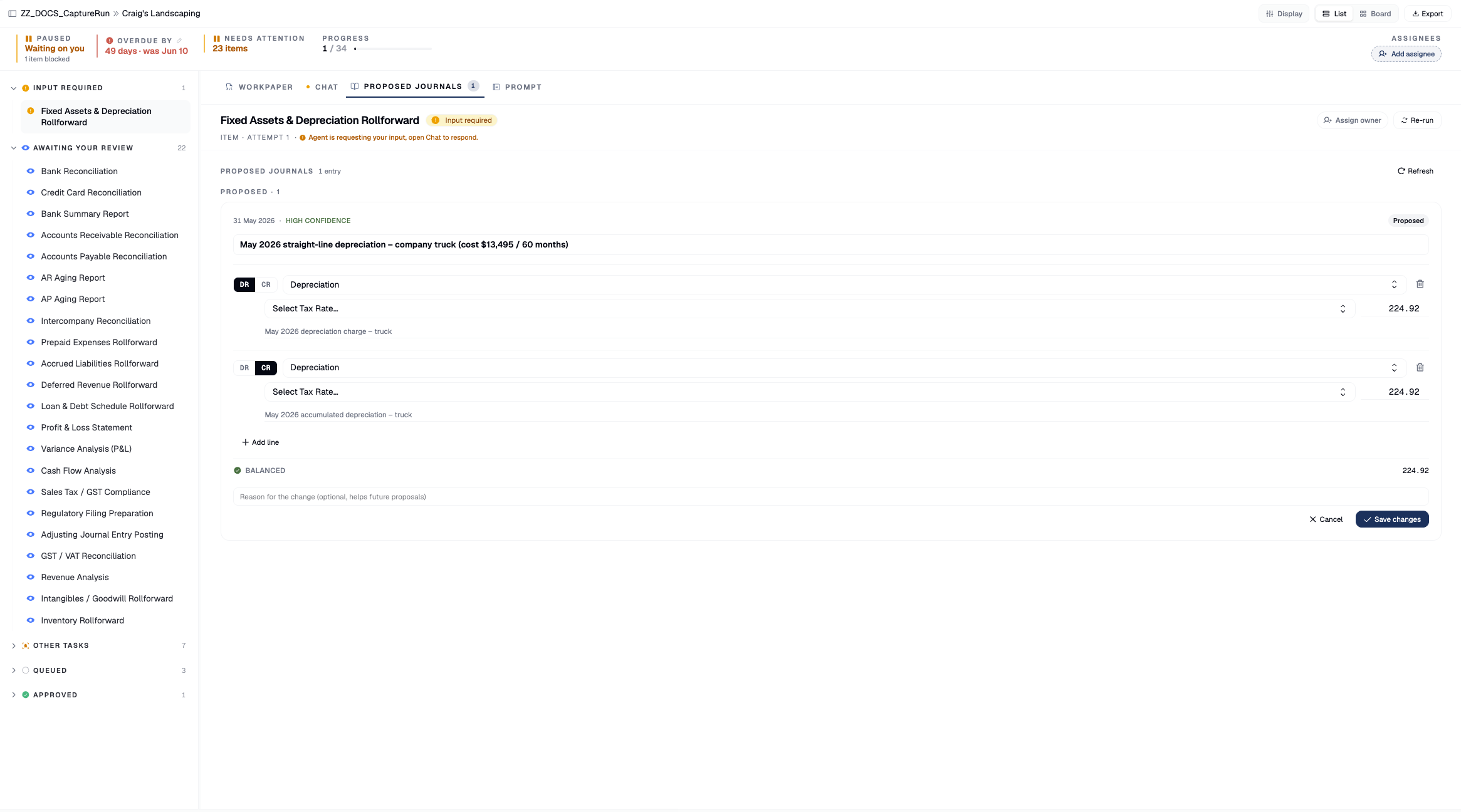
3. Nearly right? Edit it
Edit is purely local until you save — the per-line editor gives you Dr/Cr, account, tax rate, amount, dimensions, plus Add line / Remove line and a Reason for the change. Save changes, replaces the lines server-side and re-validates balance and structure; if the row had already been approved it drops back to proposed, because an edited entry has not been reviewed in its new shape.
4. Approve — this is what creates the entry
Approve creates the journal entry in Artifact with its attachments; the proposal flips from proposed to created. Before this click nothing was posted anywhere — that is the whole design.
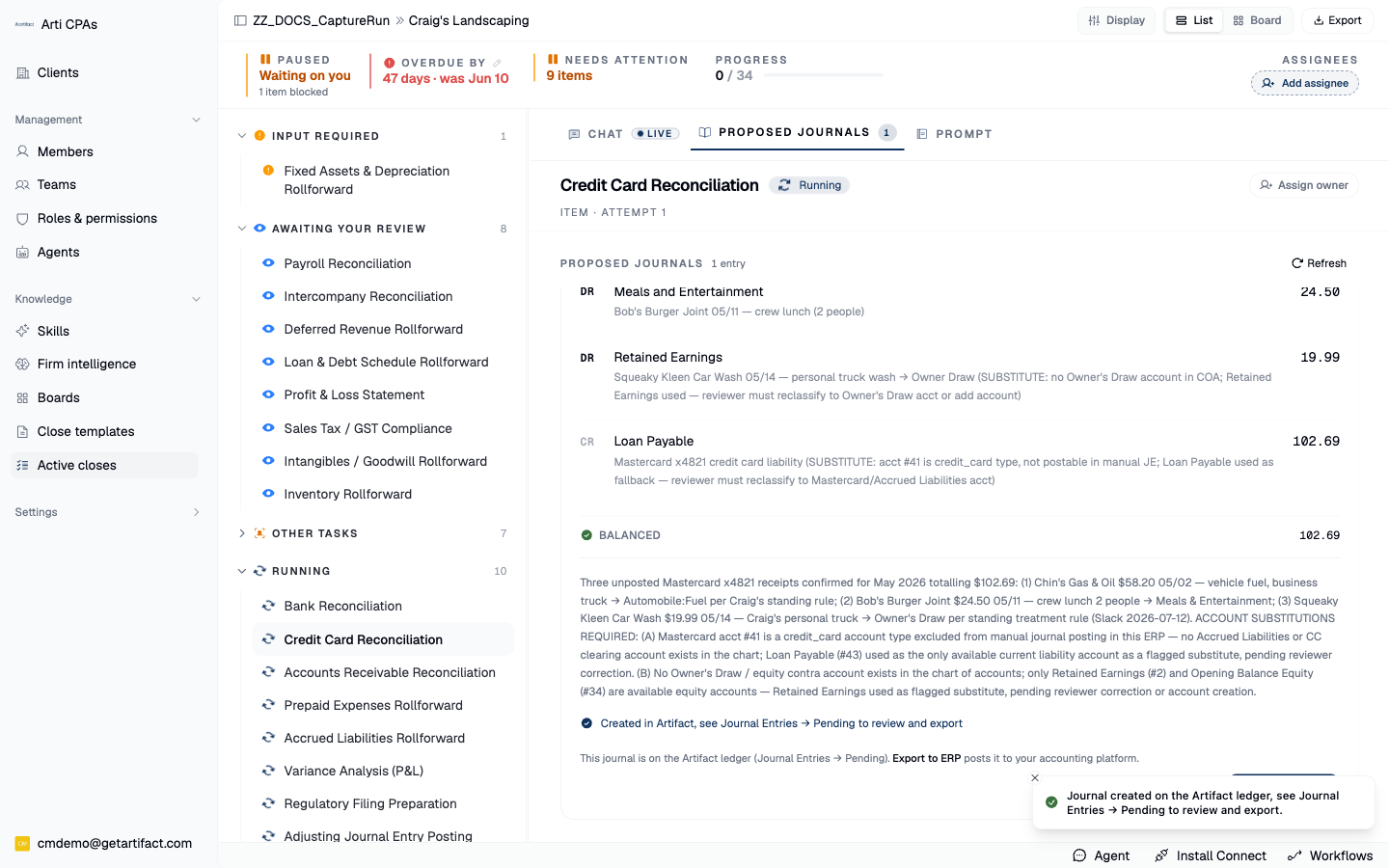
5. Approve & export, or export later
If your ERP is connected: Approve & export creates the JE and pushes it to the connected ERP in one action. Export to ERP does just the export half on an already-created entry; Retry export re-attempts a failure. If an export times out the proposal stays at created rather than risking a double post, and export is blocked once the journal is already posted. View in {ERP} is a read-only deep link to check the result.
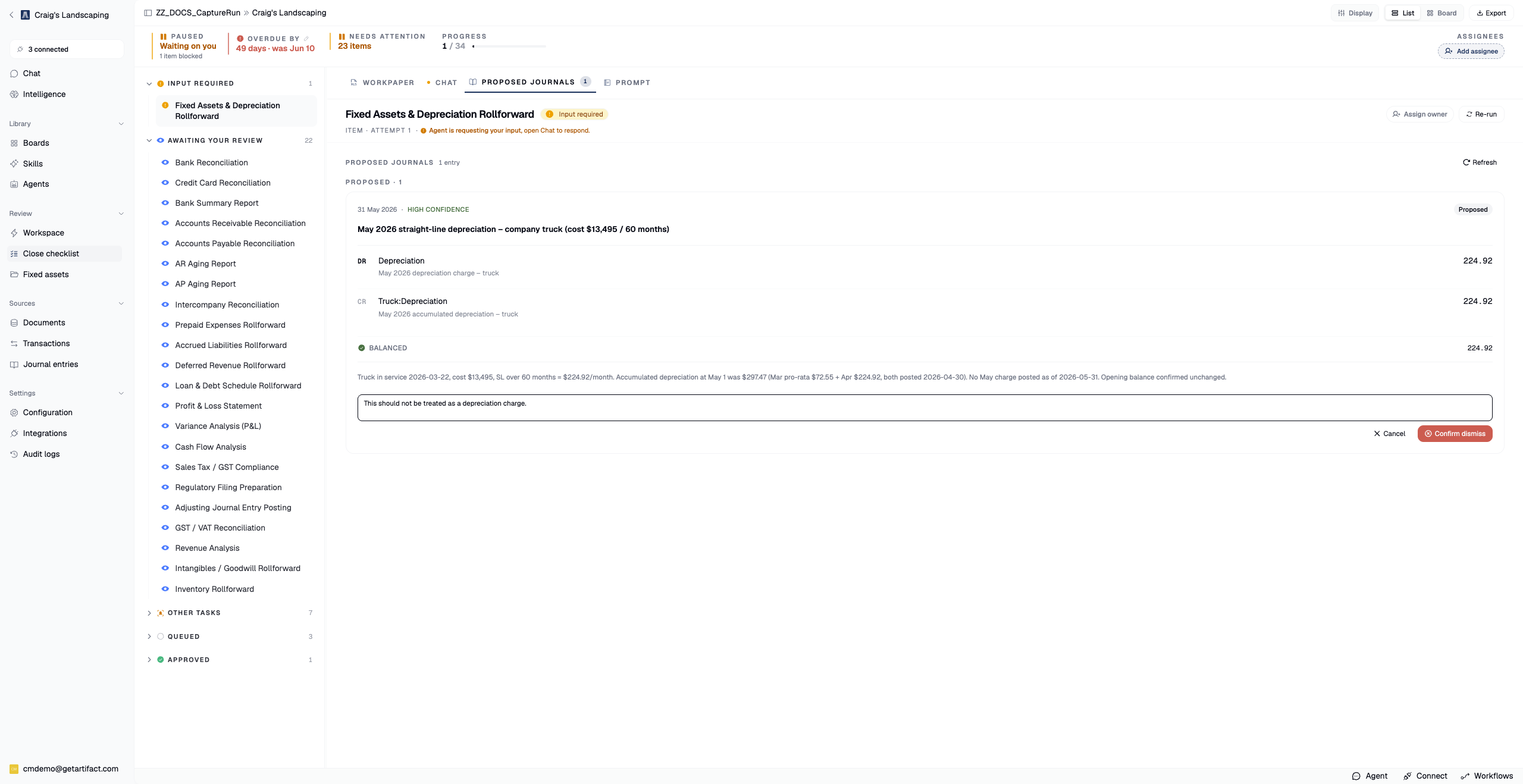
6. Dismiss with a reason if it should not exist
Dismiss → Confirm dismiss requires a written reason, and is refused once the entry is created or exported (you cannot dismiss your way out of something already posted). The reason is not paperwork: the post-close learning pass reads it so the agent stops re-proposing the same entry next period.
Next steps
Good to know
Know the statuses.
proposed/needs revieware yours to decide.createdmeans the JE exists in Artifact.exportedmeans it also reached the ERP.dismissedis closed with a reason.export failedneeds a retry.