Working on Multiple Working Papers at Once via Arti
Last updated: July 29, 2026
Get a whole checklist moving at once instead of one item at a time — and know what to watch, what to steer, and what serialises itself. Arti fans the close out across items in parallel; your job shifts from doing the work in order to reviewing it as it lands. This is the parallel view of Work a Close Item to Completion.
Watch it — working several working papers at once in one chat-driven pass (2-minute walkthrough)
1. Understand what starting the close already did
Starting a close kicks off a run for every item at once, not one long sequential process. You do not queue the work item by item — it is already in flight when you arrive.
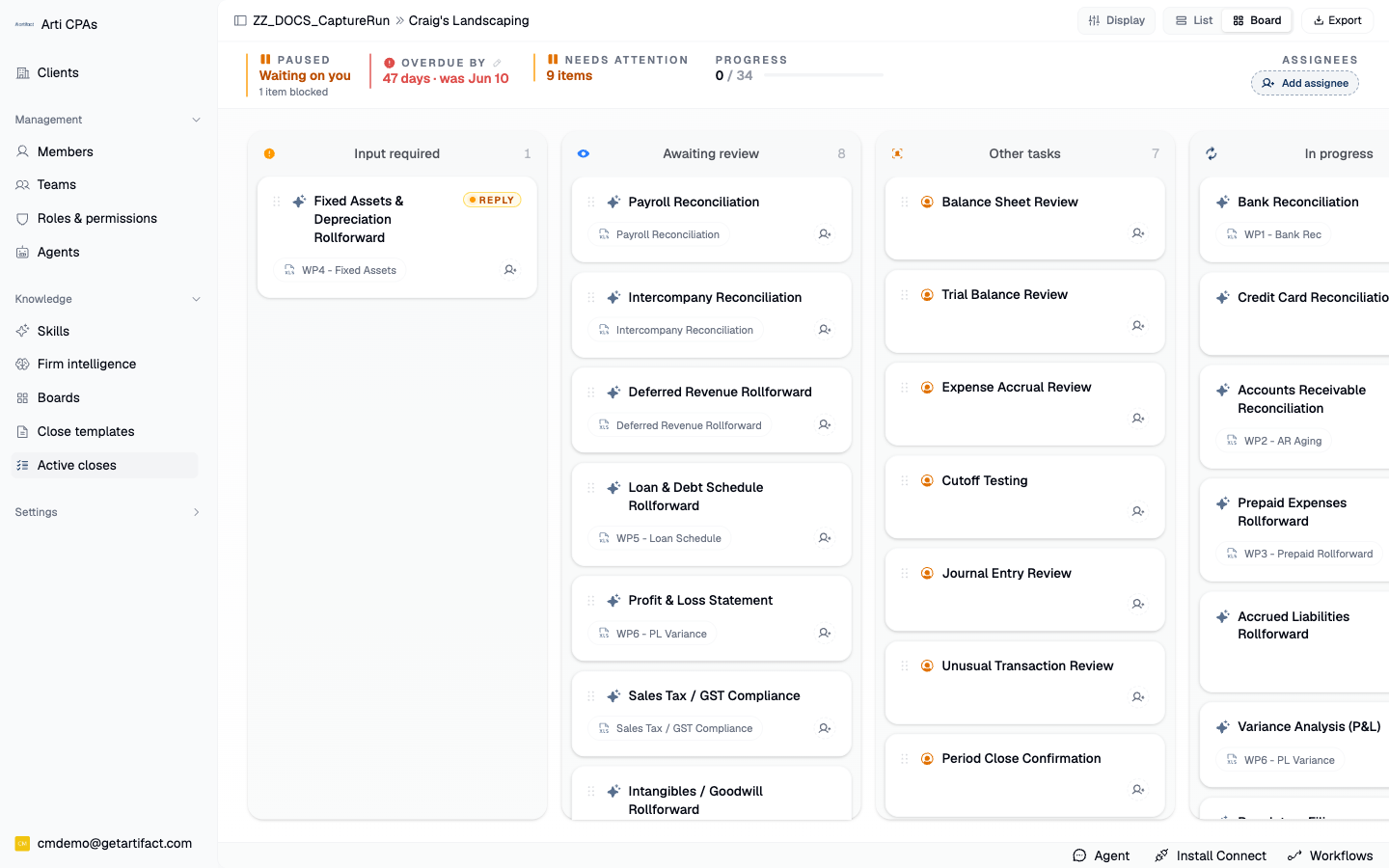
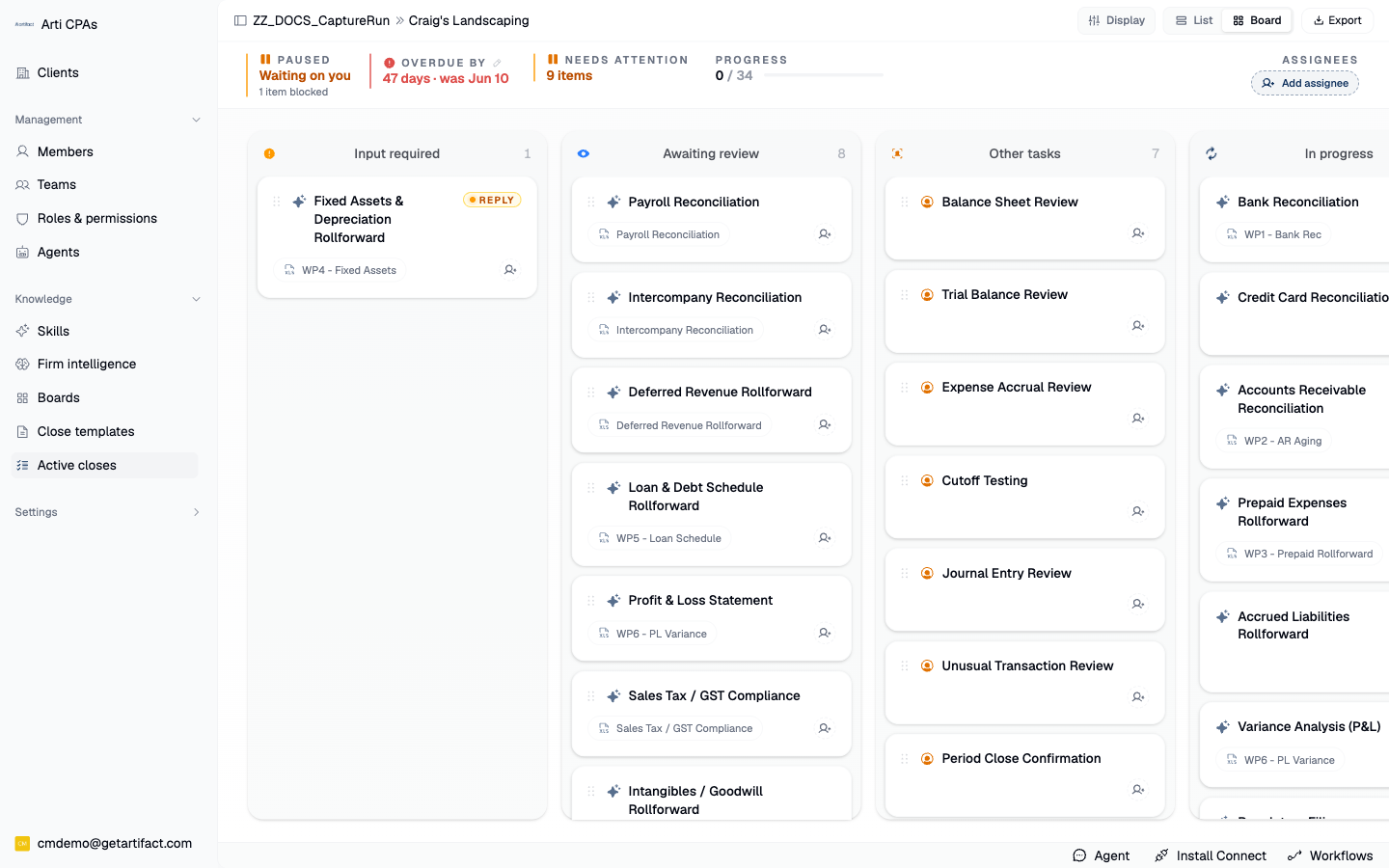
2. Watch the fan-out on the board
Switch to Board view and, under Display, turn on Live agent activity — each card then polls its own audit, so you can watch several items progress at once. Show empty columns reveals the stages nothing is currently sitting in.
3. Know why they do not all finish at once
Runs start staggered rather than all at once, and concurrency is capped. Queued and In progress are separate columns precisely so a dependency-blocked item never looks busy.
4. Steer any item without stopping the others
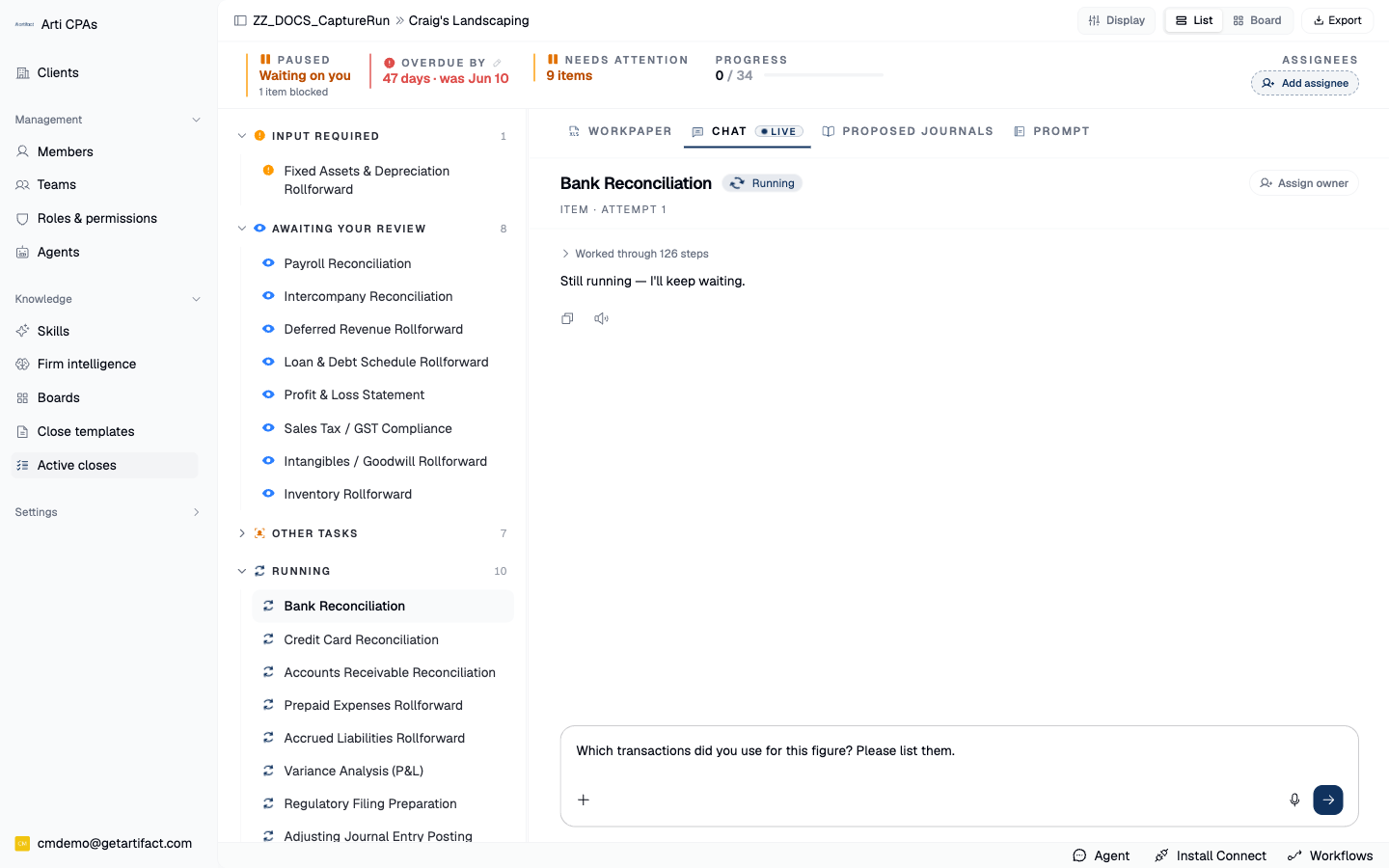
Send in an item's chat: each item's chat runs inside that item's own agent session, so a correction arrives with full context and touches only that item. Stop / interrupt halts a streaming reply. This is how you redirect one workpaper mid-close while the rest keep going.
5. Approve a tool call when Arti asks
When the agent needs to write through a connector, it pauses that run and asks you first — an approval prompt appears in the item or board chat. Read-only actions never interrupt you. Parallelism never quietly widens what the agent may write.
6. Let the shared-workbook lease do the serialising
When several items splice into the same workbook, exactly one human writer is allowed per workbook at a time, and the agent will not edit a workbook a user is actively editing — it waits its turn. An abandoned editor tab expires on its own. You do not have to coordinate this by hand; see Read a Working Paper and Its Audit Trail for the editor side.
7. Review in parallel, approve one at a time
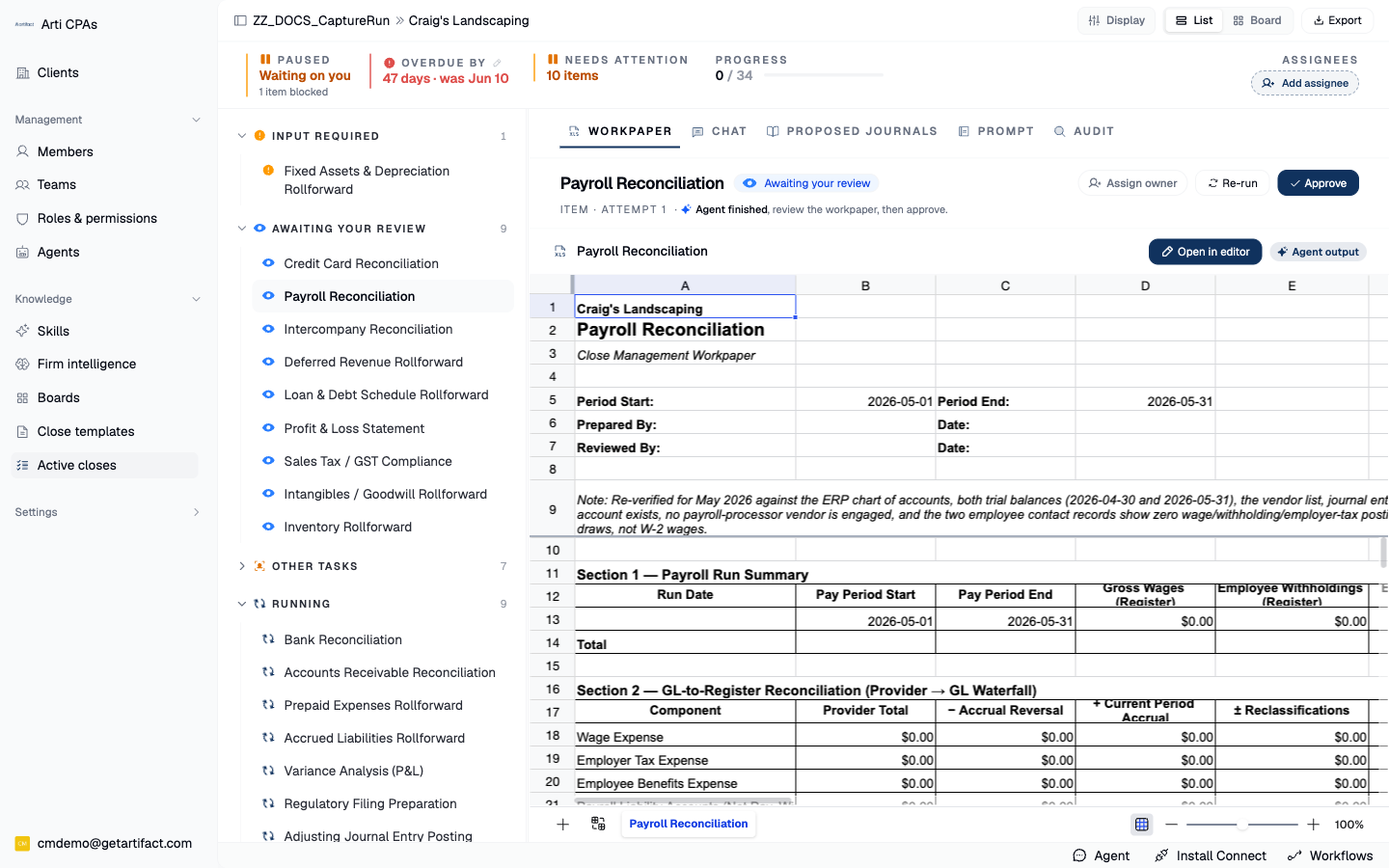
Items land in Awaiting review in whatever order they finish — the rail and board fill up out of sequence, and that is fine. Work them off with Work a Close Item to Completion; each still needs its own Approve.
Next steps
Good to know
This is not a bulk-approve article. Preparation parallelises; sign-off does not. There is no aggregate approve, by design.
Timing. Runs are staggered on purpose. "Nothing is happening" for the first minute or two is normal and is a rate-limit courtesy.